Progress Tracking and Transcription Are Here
Genderfluent adds new progress tracking views, optional speech-to-text transcription, and interactive metric overlays for voice recordings.
Written by: Charlie Murphy
- General
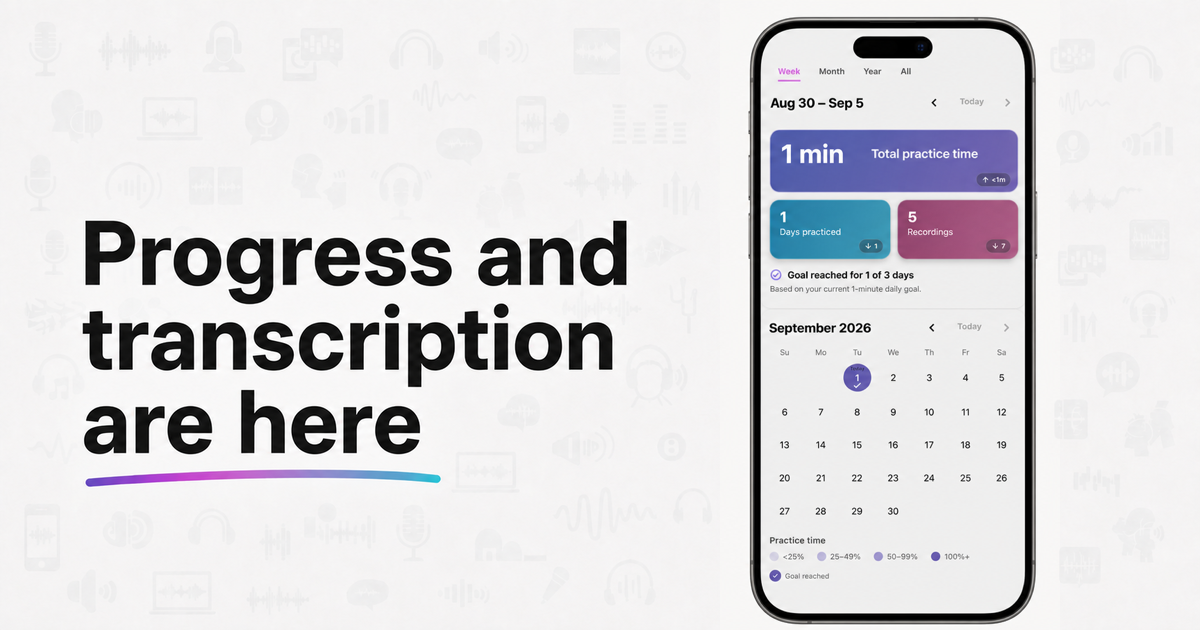
Genderfluent’s latest release adds two new ways to make voice practice more useful: a Progress tab that lets you see your practice history, and optional transcription that converts the words you say into text for easier review.
See your practice history
The new Progress tab shows your practice history in four complementary views. You can start with a quick summary, look for patterns on a calendar or chart, and then open the individual recording sessions to see the details.
Practice summaries at a glance
The summary section shows three core statistics:
- Total practice time
- Days practiced
- Recordings made
Switch between week, month, year, and all-time views to see how those totals change across different periods. This gives you a quick answer when you want to know how consistently you have been practicing without opening every recording.
A calendar view
The calendar view shows when you practiced and how much activity happened on each day. You can explore the same core practice statistics by date and quickly spot active days, quieter stretches, and developing routines. If you have set a daily practice goal, the calendar also marks the days when you reached it.
Practice trends over time
The practice trends card uses a bar chart to show how your activity changes over time. Choose practice time, days practiced, or recordings, then switch between week, month, year, and all-time summaries. It can help you notice a routine becoming more consistent, see how much you practiced during a particular period, or understand a temporary break without losing sight of the longer journey.
Open individual practice sessions
The practice sessions view lists the sessions included in the day, week, month, or all-time period you selected. When saved audio is available for a session, you can open it to review summary metrics, charts, and the recording itself.
Transcription: speech-to-text for your recordings
You can now optionally enable speech-to-text transcription for your audio recordings. When transcription is on, Genderfluent converts what you say into text and saves it alongside the recording, giving you another way to review your practice.
The transcription is interactive. Click or tap a word to start playback from that point in the recording. As the audio plays, Genderfluent highlights the part of the text currently being spoken, so it is easy to follow along without searching through the recording manually.
You can also overlay voice-feedback metrics on the transcription, including:
- Pitch
- Formants
- Gender-estimation feedback
- Volume
These optional overlays make it easier to connect a change in your voice to the exact word or phrase where it happened. You can focus on the feedback that matters for the session, or leave the overlays off and use the transcription simply to navigate and replay your recording.
This is the next evolution of practice cards. Practice cards are still useful when you want a prepared word, phrase, or prompt. Transcription gives you more freedom: you can speak naturally, say anything you want, and still get a structured recording you can revisit afterward.
Other improvements
-
Tutorial added: We’ve added a new tutorial to help you get started with the app. It walks you through the basics of recording, reviewing, and practicing your voice.
-
Musical note fixes: This release also corrects the musical-note labels used with pitch feedback. Some notes could previously appear one octave too low, and some labels were shown in the wrong position. The octave mapping and note placement have now been fixed, so the musical-note view should align more accurately with the detected pitch.
-
There were also a number of other small bug fixes and improvements to the app’s performance and stability.
As always, thank you for your support and feedback. If you have questions or suggestions, please contact us at info@genderfluentapp.com.